Picture a mid-sized company running Windows servers, a scattering of Linux boxes, Microsoft 365 mailboxes, and three different cloud subscriptions—and exactly one overworked analyst trying to watch all of it at once. That analyst’s inbox fills with thousands of low-value alerts every week, and somewhere in that noise sits the one signal that actually matters: a compromised credential being used to move laterally through the network. This is the exact problem Microsoft Sentinel was built to solve. It’s Microsoft’s cloud-native Security Information and Event Management (SIEM) platform, and if you’re studying for the SC-200: Microsoft Security Operations Analyst certification—or simply trying to understand modern threat detection—Microsoft Sentinel is the single most important tool you’ll learn.
Read Also: SC-200 Certification: A Complete Guide to Passing in 2026
Table of Contents
What Is Microsoft Sentinel?
Microsoft Sentinel is a cloud-native SIEM (Security Information and Event Management) and SOAR (Security Orchestration, Automated Response) platform. In plain terms, it’s a system that collects security-relevant logs from nearly every corner of an organization—firewalls, identity providers, endpoints, cloud workloads, and SaaS applications—and stores them in one searchable place, then applies analytics to spot the patterns that indicate an attack.
Think of it as a smoke detector wired into every room of a building at once, rather than one detector per room that nobody checks. A single hallway detector going off might mean nothing. But when the kitchen, the hallway, and the bedroom detectors all trigger within ninety seconds of each other, you know something serious is happening—and that correlation, not any single alert, is what tells the story.
Under the hood, Microsoft Sentinel runs on Azure Log Analytics and uses the Kusto Query Language (KQL) to search, filter, and correlate data at a massive scale. Because it’s built on Azure rather than on-premises hardware, it scales elastically—you’re not buying a fixed amount of server capacity and hoping it’s enough during an incident.
Why Microsoft Sentinel Matters
Security teams today are drowning in telemetry. A modern enterprise can generate millions of log events per day across identity systems, endpoints, network devices, and cloud services—far more than any human team can review manually. Without a centralized SIEM, analysts are stuck flipping between a dozen disconnected consoles, trying to manually stitch together a timeline while an attacker is actively inside the network. That delay is exactly what attackers count on.
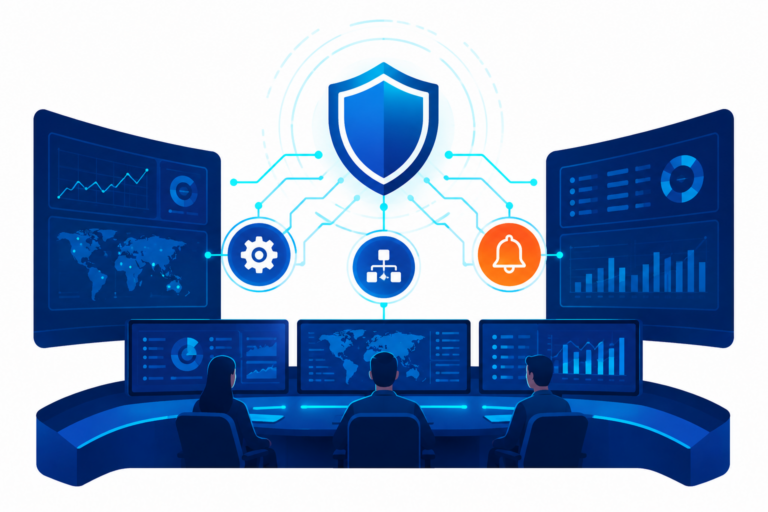
Microsoft Sentinel matters because it collapses that fragmented view into a single pane of glass, applies machine learning and behavioral analytics to surface genuine threats, and automates repetitive first-response steps so human analysts can focus on judgment calls rather than data entry. For SC-200 candidates specifically, Sentinel isn’t a side topic—it sits at the center of the exam’s “Manage a security operations environment” and “Perform threat hunting” domains, which together make up a substantial share of the skills measured.

How Microsoft Sentinel Works
Microsoft Sentinel operates through a structured data lifecycle that is crucial for understanding its functionality. It begins with data ingestion, where various data connectors pull in logs from multiple sources. Once the data is in the workspace, analytics rules continuously monitor it using Kusto Query Language (KQL) to detect anomalies and generate alerts. Analysts can then investigate incidents manually or leverage automation to respond swiftly.
Step 1: Data Ingestion
Everything starts with data connectors—prebuilt integrations that pull logs from sources such as Microsoft Entra ID, Microsoft Defender for Cloud, on-premises Windows Security Events (via the Azure Monitor Agent), Syslog and Common Event Format (CEF) devices, and third-party firewalls. You choose connectors based on what data source you need visibility into, then configure collection rules that decide exactly which event types get ingested and stored.
Step 2: Detection and Analytics
Once data lands in the workspace, analytics rules constantly scan it using KQL queries, scheduled logic, and Microsoft’s built-in machine learning models. When a rule’s conditions are met—say, a login from an impossible geographic distance within minutes of a previous login—Sentinel generates an alert, and related alerts get grouped into a single incident so analysts aren’t chasing five tickets that are really one attack.
Step 3: Investigation, Automation, and Hunting
From there, analysts either investigate manually using the investigation graph and KQL-based hunting queries or let automation rules and playbooks (built on Azure Logic Apps) handle routine response actions automatically—disabling a user account, isolating a device, or opening a ticket—often within seconds of detection.
Key Components of Microsoft Sentinel
Microsoft Sentinel isn’t one monolithic feature; it’s a collection of purpose-built components that work together. Knowing each piece by name—and by function—is essential both for real SOC work and for passing SC-200.
1. Data Connectors and Workspaces
A Log Analytics workspace is the storage foundation Sentinel is built on top of. Data connectors feed that workspace, and organizations can now manage data at different tiers—including newer Data Lake and Auxiliary Logs tiers—to balance query performance against long-term retention cost. Choosing the right connector and the right retention tier for each data type is a recurring exam theme.
2. Analytics Rules and Workbooks
Analytics rules are the detection logic—scheduled KQL queries, Microsoft Security rules, anomaly detection, and fusion rules that correlate signals across products. Workbooks are the visualization layer: customizable dashboards built to track anything from failed sign-ins to data exfiltration trends over time, giving SOC managers a way to monitor posture without writing a single query.
3. Playbooks and Automation Rules
Playbooks are logic app-based workflows that execute a sequence of response actions automatically—think “isolate the device, notify the on-call analyst, and open a ServiceNow ticket,” all triggered the moment a high-severity incident is created. Automation rules sit above playbooks and decide which playbook runs for which incident under which conditions—reducing analyst fatigue and standardizing response times.
Microsoft Sentinel and the Unified Defender Portal
One of the most important shifts for anyone learning Microsoft Sentinel in 2026 is where you’ll actually work day to day. Microsoft has been consolidating Sentinel into the Microsoft Defender portal alongside Defender XDR, Defender for Endpoint, Defender for Identity, and Defender for Cloud Apps, creating a single unified incident queue instead of separate consoles for SIEM and XDR alerts. Connecting Sentinel to the Defender portal gives you shared incident management and advanced hunting so you can reduce tool switching and run faster, more focused investigations.
The Defender portal isn’t simply a new home for Microsoft Sentinel—it’s positioned as the foundation for integrated, AI-driven security operations going forward, and Microsoft’s own migration timeline makes this more than a minor UI refresh.
Best Practices for Implementing Microsoft Sentinel
Standing up Microsoft Sentinel is easy; running it well is the harder skill, and it’s the skill both employers and the SC-200 exam actually test. Start by onboarding data connectors in priority order—identity and endpoint logs first, since credential misuse and endpoint compromise are the two most common attack entry points. Resist the temptation to ingest everything at once; unfiltered firehose ingestion drives up cost without improving detection quality, so scope collection rules to the event types your analytics rules actually consume.
Next, tune analytics rules continuously rather than accepting Microsoft’s defaults forever. A rule that fires fifty times a day and gets dismissed fifty times a day isn’t protecting anyone—it’s training your analysts to ignore Sentinel. Layer in automation rules for the response steps that don’t require human judgment, use workbooks to track SOC performance metrics like mean time to triage, and periodically review them. Sentinel’s built-in SOC optimization recommendations, which flag underused data sources and coverage gaps against the MITRE ATT&CK framework.
Common Mistakes and Misconceptions
The biggest misconception beginners carry into Microsoft Sentinel is that it’s a “set it and forget it” product—connect a few data sources, accept the default rules, and the platform will handle the rest. In reality, Sentinel is only as effective as the tuning behind it. Untuned analytics rules generate excessive false positives, which leads directly to alert fatigue, which is the single most common reason real incidents get missed in production SOCs.
A second common mistake is treating Sentinel purely as a log warehouse rather than an active detection and response platform—teams sometimes ingest data for compliance purposes and never build the analytics rules, hunting queries, or automation that turn raw logs into actionable security value. A third mistake, especially relevant right now, is studying or practicing exclusively in the older Azure portal Sentinel experience. Given Microsoft’s active migration to the unified Defender portal, that gap between what you practiced and what you’ll actually use on the job—or see in current exam scenarios—can be costly.
Real-World Example: Catching an Impossible Travel Alert
Here’s how these pieces come together in practice. Imagine an employee’s Microsoft Entra ID account signs in from Kathmandu at 9:00 a.m. local time, then signs in again from a different country twelve minutes later. No human could physically make that trip that fast—this is the classic “impossible travel” scenario. Microsoft Sentinel’s identity-focused analytics rules flag this pattern automatically by correlating sign-in logs against known travel-time thresholds and user behavior baselines.
Once the alert fires, an automation rule immediately triggers a playbook: the user’s session tokens are revoked, multi-factor authentication is force-triggered on the account, and a case is opened in the SOC’s ticketing system—all before a human analyst has even opened the incident. The analyst arrives to a fully packaged incident with the correlated sign-in logs, device details, and a recommended containment action already applied, cutting what used to be a thirty-minute manual investigation down to a two-minute review. This is precisely the “detect, automate, then investigate” workflow the SC-200 exam expects candidates to understand end to end.

Conclusion
Microsoft Sentinel earns its place at the center of modern security operations because it does three things no single tool can do alone: it centralizes fragmented log data into one searchable workspace, it applies analytics and automation to separate genuine threats from noise, and it’s increasingly the operational home for detection and response inside Microsoft’s unified Defender portal.
For SC-200 candidates, mastering Microsoft Sentinel isn’t optional—it’s the backbone of nearly half the exam’s skills measured, and it’s the same skill set you’ll use on day one of a real SOC analyst role. Your next step is hands-on practice: spin up a trial workspace, connect a data source, and write your first KQL query—then come back and read our companion guide on building analytics rules to turn that raw data into real detections.